Claude Codeの/insightsで自分の使い方を分析してもらってみた I Had Claude Code's /insights Analyze How I Use It
はじめに
Claude Code には /insights というコマンドがあります。実行すると自分の過去のセッション履歴を分析して、
- どんな作業に Claude Code を使っているか
- よくある作業パターン
- うまくいっている使い方
- 詰まりやすいポイント
- 改善できそうなワークフロー
などをまとめたレポートを生成してくれます。今回はこれを実際に試してみたので、レポートの中身を(機密情報は言い換えつつ)紹介します。
実行してみる
やることはシンプルで、Claude Code のプロンプトに以下を入力するだけです。
/insights数分待つと、ターミナルに要約が表示され、あわせて共有可能なHTMLレポートがローカルに生成されます。
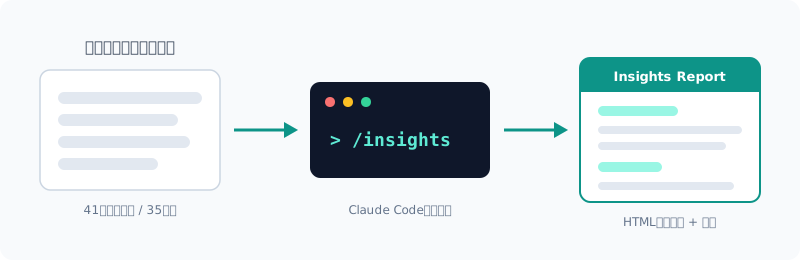
今回の分析対象は 57セッション中41セッション・404メッセージ・作業時間約35時間・29コミット(約1ヶ月分)でした。
セッション数が少ないうちは分析の材料が足りないため、ある程度使い込んでから実行するのがおすすめです。
レポートに含まれる内容
レポートは以下のようなセクションで構成されていました。
| セクション | 内容 |
|---|---|
| プロジェクト領域 | どんなプロジェクトに何セッション使ったかの分類 |
| 対話スタイル | 自分の指示の出し方・介入の仕方の分析 |
| うまくいっている使い方 | 成果につながっているワークフローの抽出 |
| 詰まりポイント | 時間を使ってしまっている原因の分類と実例 |
| 改善提案 | CLAUDE.md追記案・試すべき機能・プロンプト例 |
| 発展的ワークフロー | 今の使い方の次の段階の提案 |
| 小ネタ | セッション中の面白エピソード |
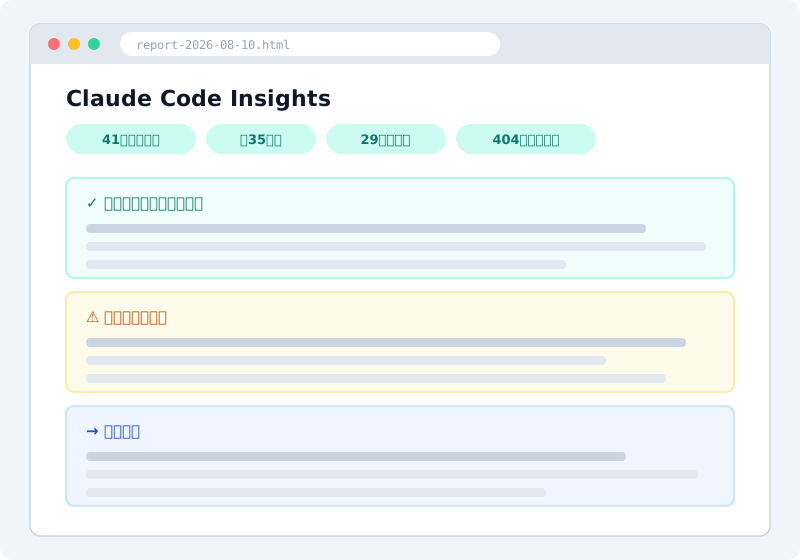
実物のレポートには業務内容がそのまま含まれるため、上の画像は構成のイメージ図です。
単なる利用統計ではなく、「セッションは具体的な成果物の依頼で始まり、コミットとpushで終わる。コミットしたことを完了の定義にしている」といった、働き方そのものの分析が返ってくるのが特徴です。
うまくいっている使い方として挙げられたこと
レポートが良い習慣として挙げてくれたのは、主に次の3つでした。
1. 実装前にClaudeから質問させて要件を固める
新機能を頼むとき、いきなり書かせるのではなく、先にデータの形・エッジケース・レイアウトについて Claude 側から質問させてから実装に入る進め方です。この進め方をしたセッションは手戻りがほとんどなかった、と分析されていました。
2. 「動くはず」で終わらせず、実ブラウザで検証させる
修正が終わったら Vitest のユニットテストだけでなく、Playwright での実ブラウザ検証まで行う習慣です。多重APIコールのバグ修正で、ネットワークインターセプトでAPI呼び出しが4回から2回に減ったことを確認したセッションが例として挙げられていました。
3. 副作用のある応急処置を差し戻す
ブラウザの制約への回避策として Claude が入れた実装に、ユーザーに見える副作用があることに気づいて差し戻した件も、良い判断として拾われていました。成功したことだけでなく、何を却下したかまで見ているようです。
詰まりポイント — 自分の癖も指摘される
個人的に一番参考になったのがこのセクションです。Claude 側の問題だけでなく、使う側(私)の癖も指摘されました。
1. 未設定の連携ツールのまま作業を依頼していた
社内の工数管理ツールと連携する MCP サーバーを使った週報の自動化を何度も頼んでいたのですが、実はその MCP サーバーの設定自体が壊れており、4セッションがほぼ空振りになっていました。レポートには「最初のメッセージで接続確認をさせていれば、30分の迷走が30秒の回答で済んだ」と書かれていました。そのとおりだと思います。
2. 実データを渡さずに業務ルールを推測させていた
休日判定のロジックを、実際のAPIレスポンスを見せずに実装させたところ、Claude はもっともらしい(が間違った)判定ルールを組み立ててしまい、本物のJSONを貼って初めて正しく動きました。APIペイロードなど実データに依存する要件は、最初のメッセージで実物を貼るのが確実という指摘です。
3. Claudeの探索コマンドを途中で中断していた
Claude が冒頭で状況把握のためのコマンドを実行し始めると、つい中断してしまうことがあったのですが、これで2セッションが何も生まずに終わっていたことが分かりました。特に「続きをやって」で始めたセッションは、Claude が前回の状態を推測で探り直すことになるため失敗しやすいようです。再開時は「前回どこまでやったか・次に何をするか」を書いて始めるのが良い、という提案でした。
どれも言われてみれば当たり前のことですが、セッション横断で「同じ失敗を繰り返している」と定量的に示されると説得力があります。
改善提案まで出してくる
分析で終わらず、次のアクションが具体的な形で提案されるのも良いところです。私のレポートには例えば以下が含まれていました。
- CLAUDE.mdへの追記案: 「間接的な証拠から結論を断定せず、実物を確認してから報告する」「作業の前提条件(MCP接続・OAuthスコープ)を最初にチェックし、欠けていたら修正方法を提示して止まる」など、そのまま貼れる文面つき
- カスタムスキル化: 何度も手で打っている定型ワークフロー(週報生成など)を
/コマンド一発のスキルにする提案。SKILL.md の雛形つき - Hooks: 編集のたびにテストを自動実行する PostToolUse フックの設定例(settings.json のJSONつき)
一般論のTipsではなく、自分の利用履歴に基づいた提案なので、そのまま取り入れやすい内容でした。
注意: レポートには業務内容・プロジェクト名・ツール名などがそのまま含まれます。内容を共有・公開する場合は、NDAや機密情報に触れないよう必ず確認してください。
まとめ
/insightsと入力するだけで、過去セッションの分析レポート(HTML)が生成される- 利用統計だけでなく、うまくいっている習慣や詰まりの原因、使う側の癖まで分析される
- CLAUDE.md追記案・スキル化・Hooksなど、次のアクションが具体例つきで提案される
- レポートには機密情報が含まれるため、共有時は言い換え・除外の確認が必要
Claude Code をある程度使い込んでいる方ほど得るものが大きいと思います。興味のある方はぜひ一度試してみてください。
Introduction
Claude Code has a command called /insights. Run it, and it analyzes your past session history and generates a report covering things like:
- What kind of work you use Claude Code for
- Common work patterns
- What’s working well
- Where you tend to get stuck
- Workflows you could improve
I tried it out, so here’s what was in the report (with confidential details reworded).
Running It
It’s simple: just type the following at the Claude Code prompt.
/insightsAfter a few minutes, a summary appears in the terminal, and a shareable HTML report is generated locally.
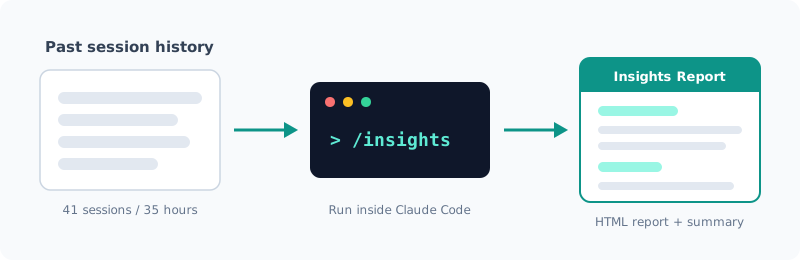
This time it analyzed 41 of 57 sessions, 404 messages, about 35 hours of work, and 29 commits (about one month’s worth).
With only a few sessions, there isn’t enough material to analyze, so I recommend running it after you’ve used Claude Code for a while.
What the Report Contains
The report was made up of sections like these.
| Section | Contents |
|---|---|
| Project areas | Which projects you worked on, and how many sessions each |
| Interaction style | An analysis of how you give instructions and step in |
| What’s working well | Workflows that are leading to results |
| Friction points | The causes of lost time, categorized, with real examples |
| Suggestions | Proposed CLAUDE.md additions, features to try, example prompts |
| Advanced workflows | Suggestions for the next step beyond how you work now |
| Fun facts | Amusing episodes from your sessions |
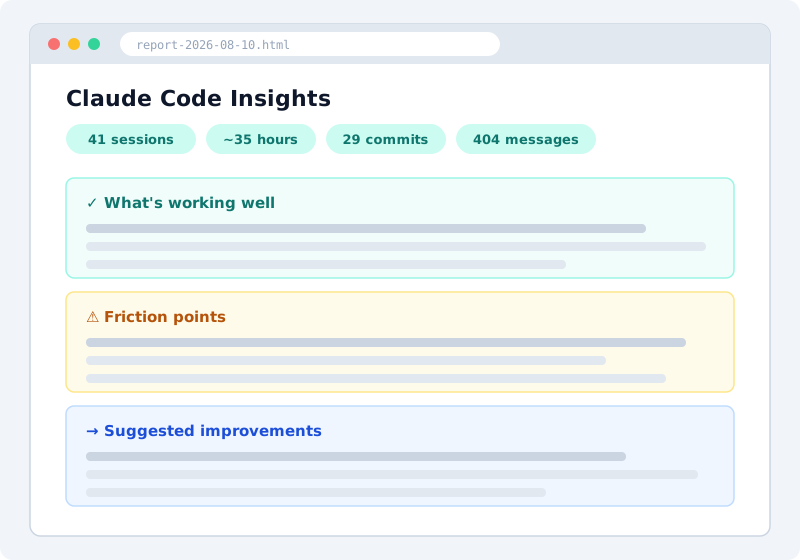
The actual report includes my work details verbatim, so the image above is an illustration of its structure.
What sets it apart is that it goes beyond usage statistics and analyzes how you actually work, with observations like “Sessions start with a request for a concrete deliverable and end with a commit and push. You treat committing as the definition of done.”
What It Listed as Working Well
The report pointed out three main good habits.
1. Having Claude Ask Questions to Pin Down Requirements Before Implementing
When I ask for a new feature, instead of having Claude write code right away, I first have it ask me about the shape of the data, edge cases, and layout, and only then start implementing. According to the analysis, sessions that went this way had almost no rework.
2. Verifying in a Real Browser Instead of Stopping at “It Should Work”
The habit of verifying fixes not just with Vitest unit tests but also in a real browser with Playwright. As an example, it cited a session fixing a bug with duplicate API calls, where network interception confirmed that the API calls dropped from 4 to 2.
3. Rolling Back a Quick Fix with Side Effects
It also picked up, as a good call, a case where Claude had added a workaround for a browser limitation, and I noticed it had side effects visible to users and had it reverted. It seems to look not only at what succeeded but also at what you rejected.
Friction Points: It Points Out Your Own Habits Too
For me, this was the most useful section. It pointed out not only problems on Claude’s side but also the habits of the person using it (me).
1. Asking for Work While an Integration Wasn’t Set Up
I had repeatedly asked it to automate weekly reports using an MCP server that connects to our internal time-tracking tool, but the MCP server’s configuration itself was broken, and 4 sessions were mostly wasted. The report said that “if you’d had it check the connection in the first message, 30 minutes of wandering would have been a 30-second answer.” I think that’s exactly right.
2. Having It Guess Business Rules Without Real Data
When I had it implement the logic for determining holidays without showing it an actual API response, Claude built a plausible (but wrong) set of rules, and it only worked correctly once I pasted the real JSON. The point was that for requirements that depend on real data such as API payloads, pasting the real thing in the first message is the reliable way.
3. Interrupting Claude’s Exploration Commands Midway
When Claude started running commands at the beginning to get a picture of the situation, I sometimes interrupted them, and it turned out that 2 sessions ended without producing anything because of this. Sessions that started with “continue where we left off” seem especially prone to failure, since Claude has to rediscover the previous state by guessing. The suggestion was to start a resumed session by writing how far you got last time and what to do next.
All of these are obvious once someone says them, but being shown quantitatively, across sessions, that you keep making the same mistake is persuasive.
It Even Suggests Improvements
It doesn’t stop at analysis: another nice point is that it suggests concrete next actions. My report included, for example:
- Proposed CLAUDE.md additions: ready-to-paste text such as “Don’t draw firm conclusions from indirect evidence; check the real thing before reporting” and “Check the prerequisites for the work (MCP connection, OAuth scopes) first, and if something is missing, present how to fix it and stop”
- Turning things into custom skills: a suggestion to turn routine workflows I keep typing by hand (such as generating weekly reports) into a skill run with a single
/command. Comes with a SKILL.md template - Hooks: an example setup for a PostToolUse hook that runs tests automatically after every edit (with the settings.json JSON)
These aren’t generic tips but suggestions based on my own usage history, so they were easy to adopt as is.
Note: The report includes your work details, project names, tool names and so on verbatim. If you share or publish its contents, make sure you don’t touch anything under NDA or confidential.
Summary
- Just type
/insightsand you get an analysis report (HTML) of your past sessions - It analyzes not just usage statistics but also your good habits, the causes of friction, and even your own quirks as a user
- It suggests next actions such as CLAUDE.md additions, skills, and Hooks, with concrete examples
- The report contains confidential information, so check what to reword or leave out before sharing
The more you’ve used Claude Code, the more you’ll get out of it. If you’re curious, give it a try.
関連記事 Related Posts
dev-orchestra で役割ごとに決まった指示を渡してみた Giving dev-orchestra Standing Instructions per Role
dev-orchestra 1.2.1 で入った instructions を試しました。implementer やレビュアーへの決まった指示をリポジトリに書いておくと、毎回のプロンプトに入ります。どう表示され、どこに入り、指示を変える変更がどう扱われるかを、実際の出力で確かめます。 I tried instructions, added in dev-orchestra 1.2.1. Standing instructions for the implementer or reviewers written in the repository go into every prompt. I check, with real output, how they are shown, where they go, and how a change to the instructions is treated.
[Released] dev-orchestra: 作業単位の並列実行と役割ごとの指示を追加 v1.1.0 - v1.2.1 [Released] dev-orchestra: Parallel Work Units and Per-Role Instructions v1.1.0 - v1.2.1
dev-orchestra の v1.1.0 から v1.2.1 までの変更をまとめました。計画を作業単位に分けて並べて走らせる機能、役割ごとに決まった指示を渡す機能、設計の前の質問、進み具合の報告の設定が入りました。Windows で出力を取り込んでいる人は、文字コードの変更に注意してください。 A roundup of dev-orchestra's changes from v1.1.0 to v1.2.1: running a plan as work units side by side, standing instructions per role, questions before the design, and settings for progress reports. If you capture its output on Windows, note the encoding change.
dev-orchestra の作業単位で、計画を分けて並べて実装してみた Splitting a Plan into dev-orchestra Work Units and Implementing Them Side by Side
dev-orchestra 1.2.0 で入った作業単位を試しました。計画に ## Units を書き、2 つの作業単位を別々の git worktree で並べて Claude に実装させ、作業ツリーへマージし、最後の統合の作業単位をその場で走らせるまでを、実際のコマンドと出力で追います。 I tried the work units added in dev-orchestra 1.2.0. I wrote a ## Units section in a plan, had Claude implement two units side by side in separate git worktrees, merged them into the working tree, and ran the final integration unit in place, with the actual commands and output.